
3.8 KiB
Rust Facepunch performance config
In-Game Config
Show screenshots
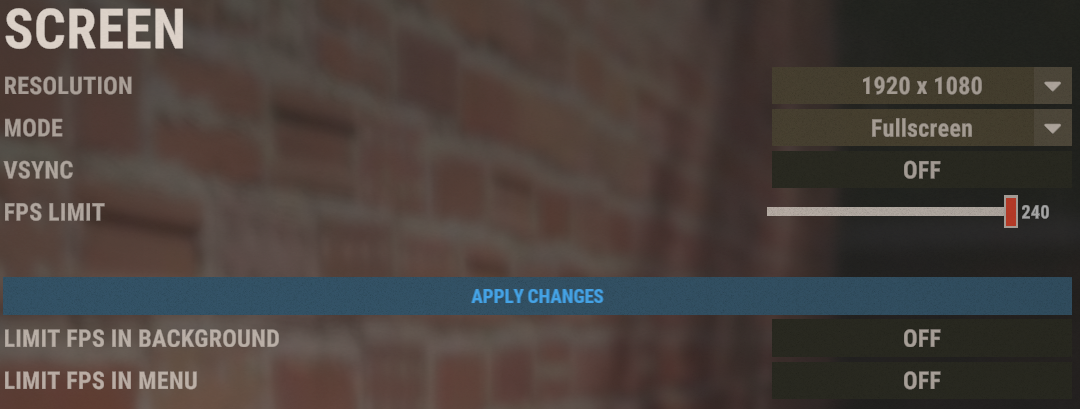
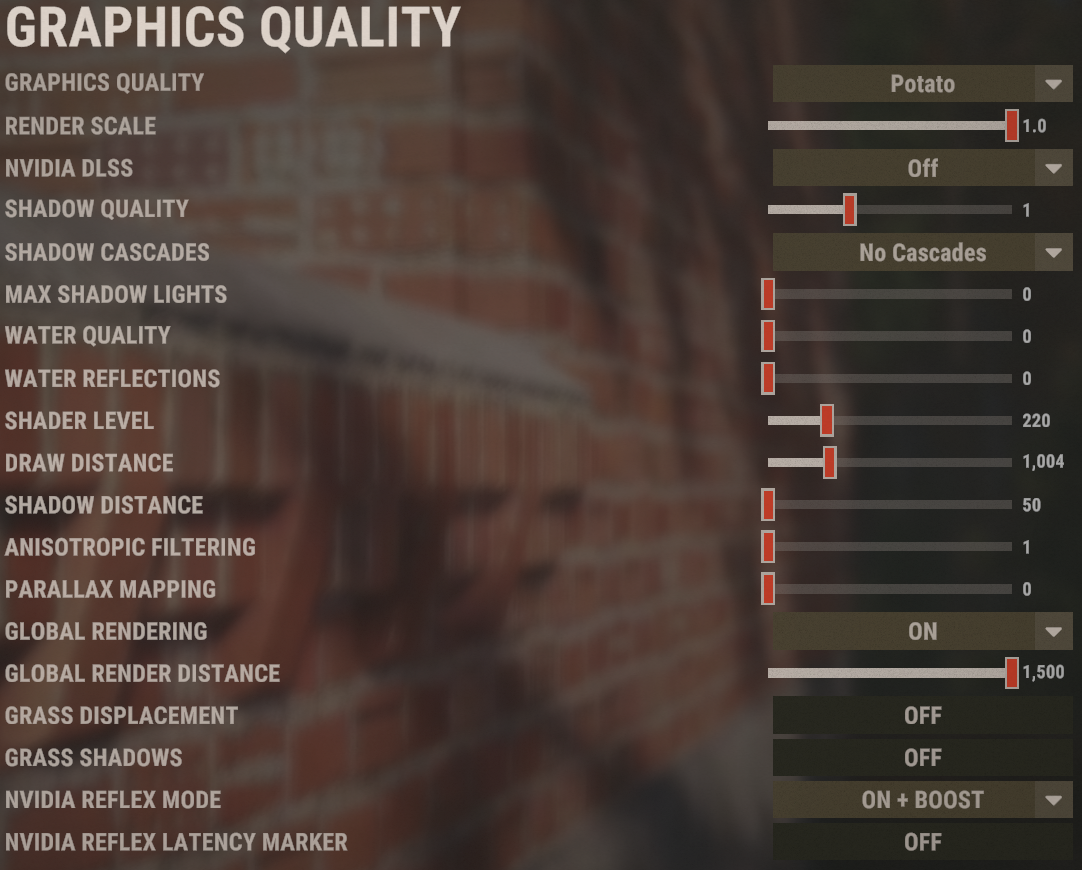
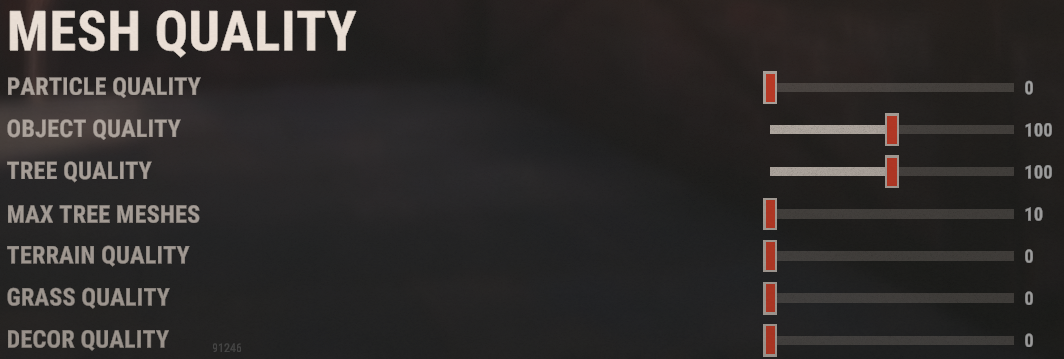
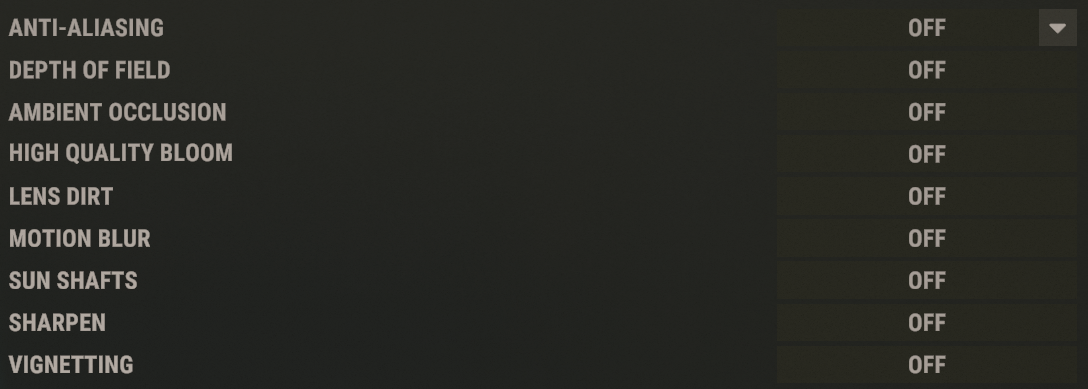
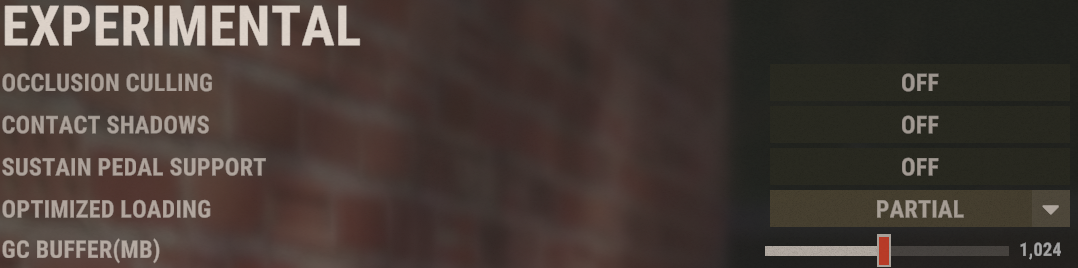
NVIDIA Settings
Import "RUST.nip" with "nvidia-profile-inspector"
nvidia-inspector (Download) nvidia-profile-inspector (Download)
Windows settings
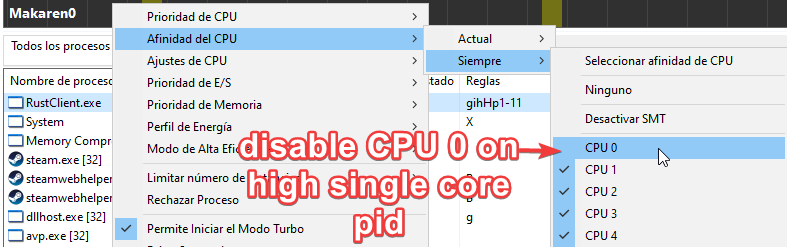
(Highly effective) ProcessLassso - Disable CPU-Core-0 on demant single core process
Rust lacks thread/multiprocess optimization, to prevent it from colliding with the CPU-Core-# that manages your OS (normally 0) it is advisable to disable the use of the application specifically to the main core, thus using the CPU-Core-1 that does not handle the main processors.
Ways to enable High priority
Add -cpu_priority high in Launch Arguments on Steam
or
Inside Registry Editor and \HKEY_LOCAL_MACHINE\SOFTWARE\Microsoft\Windows NT\CurrentVersion\Image File Execution Options\RustClient.exe\PerfOptions instance CpuPriorityClass with value 3 to set "high priority mode"
MSI Afterburner
It won't be very effective (depending on your hardware) since Rust is CPU demanding, and its graphics headroom is easily manageable by many modern cards. But you can even get a few more frames on high end gpus.
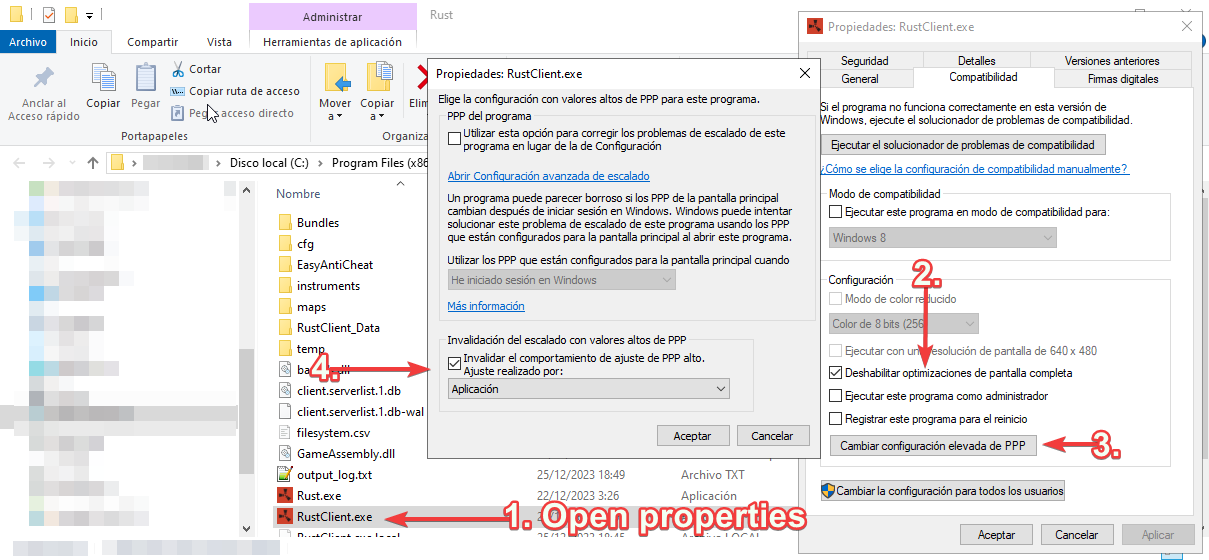
Disable Full-Screen optimizations
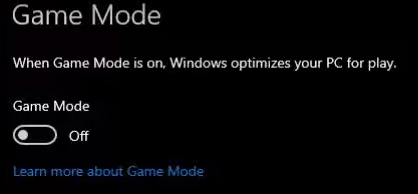
Disable GameMode on windows
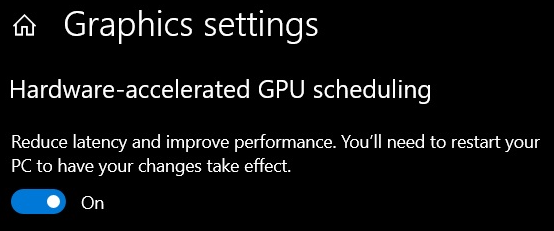
Enable Hardware-accelerated GPU scheduling
Custom User CFG
Steam Launch Options
-gc.buffer 1024 -cpu_priority high -client.headlerp_inertia false -headlerp 100
Binds
input.autocrouch true
bind y forward;sprint
bind c +graphics.fov 90;graphics.fov 70
bind f1 consoletoggle;combatlog
bind h "craft.add -2072273936 1" - Autocraft x1 bandage
bind [leftshift+k] kill - Autokill with LEFT SHIFT + K
bind [leftshift+h] pool.clear_assets;pool.clear_memory;pool.clear_prefabs - Improve FPS one time per server join using H
Sources of knowledge
https://www.youtube.com/watch?v=zkEec-xlEck
https://www.youtube.com/watch?v=z-ceehhsMQE
https://www.reddit.com/r/Amd/comments/u833gv/cppc_andor_cppc_preferred_cores_to_be_enabled_or/
https://www.quora.com/Does-Windows-10-take-advantage-of-hardware-acceleration
https://irendering.net/hardware-accelerated-gpu-scheduling-and-its-impact-on-rendering/