# Rust Facepunch performance config
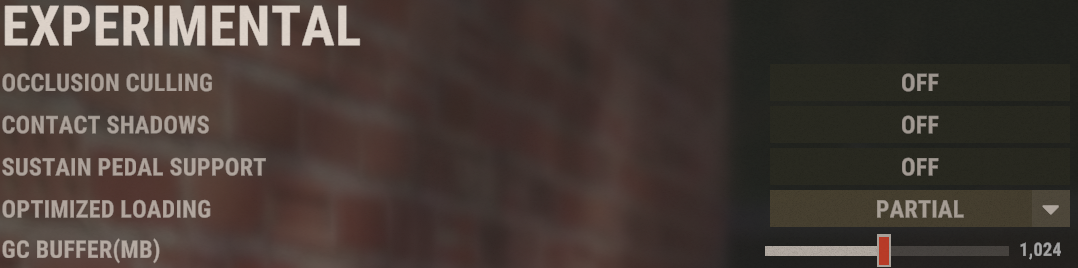
### In-Game Config
Show screenshots
This is a minimally competitive configuration, from this you can adjust its values to improve the quality of the gameplay. Although this setup already addresses the basic competitive issues for sure
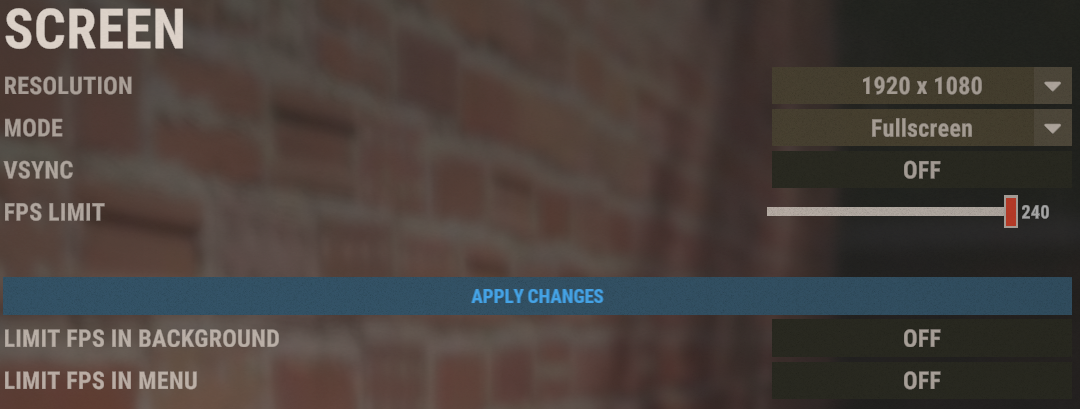
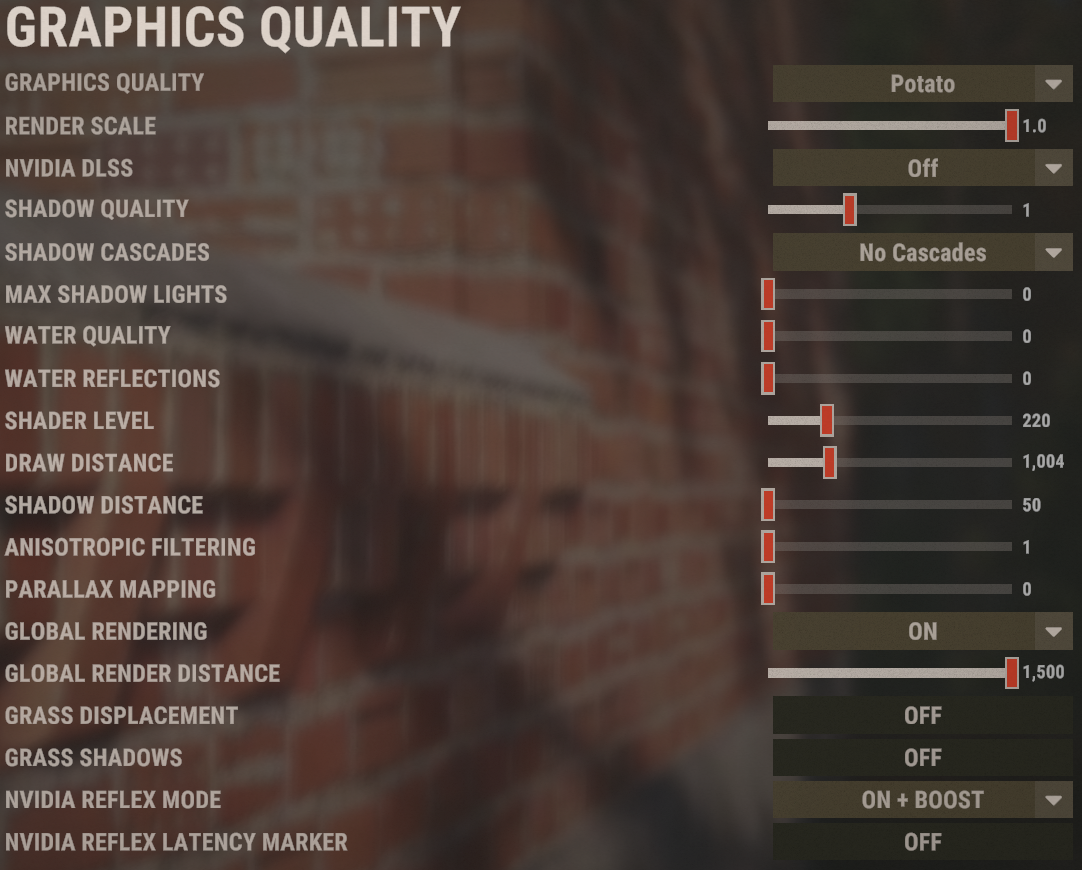
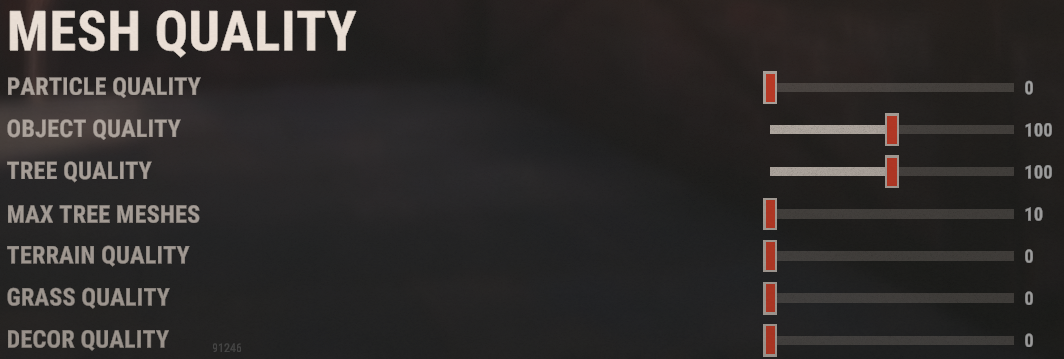
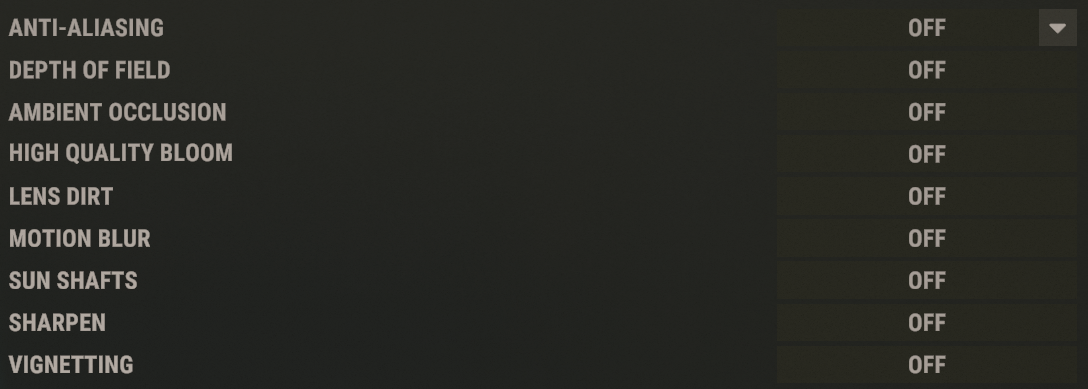
### NVIDIA Settings
Import "[RUST.nip](https://git.drmackiver.es/Makaren0/games-configs/src/branch/rust-fp/RUST.nip)" with "***nvidia-profile-inspector***"
> [nvidia-inspector (Download)](https://www.guru3d.com/files-details/nvidia-inspector-download.html)
> [nvidia-profile-inspector (Download)](https://github.com/Orbmu2k/nvidiaProfileInspector/releases)
### Windows settings
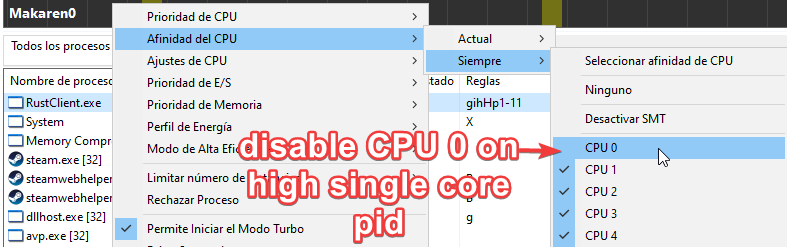
#### (Highly effective) ProcessLassso - Disable CPU-Core-0 on demant single core process
Rust lacks thread/multiprocess optimization, to prevent it from colliding with the CPU-Core-# that manages your OS (normally 0) it is advisable to disable the use of the application specifically to the main core, thus using the CPU-Core-1 that does not handle the main processors.
#### Ways to enable High priority
Add ```-cpu_priority high``` in Launch Arguments on Steam
**or**
Inside Registry Editor and ```\HKEY_LOCAL_MACHINE\SOFTWARE\Microsoft\Windows NT\CurrentVersion\Image File Execution Options\RustClient.exe\PerfOptions``` instance ```CpuPriorityClass``` with value ```3``` to set "high priority mode"
#### MSI Afterburner
> [Improve MSI Afterburner Settings (Link)](https://git.drmackiver.es/Makaren0/games-configs/branch/msi-afterburner)
It won't be very effective (depending on your hardware) since Rust is CPU demanding, and its graphics headroom is easily manageable by many modern cards. But you can even get a few more frames on high end gpus.
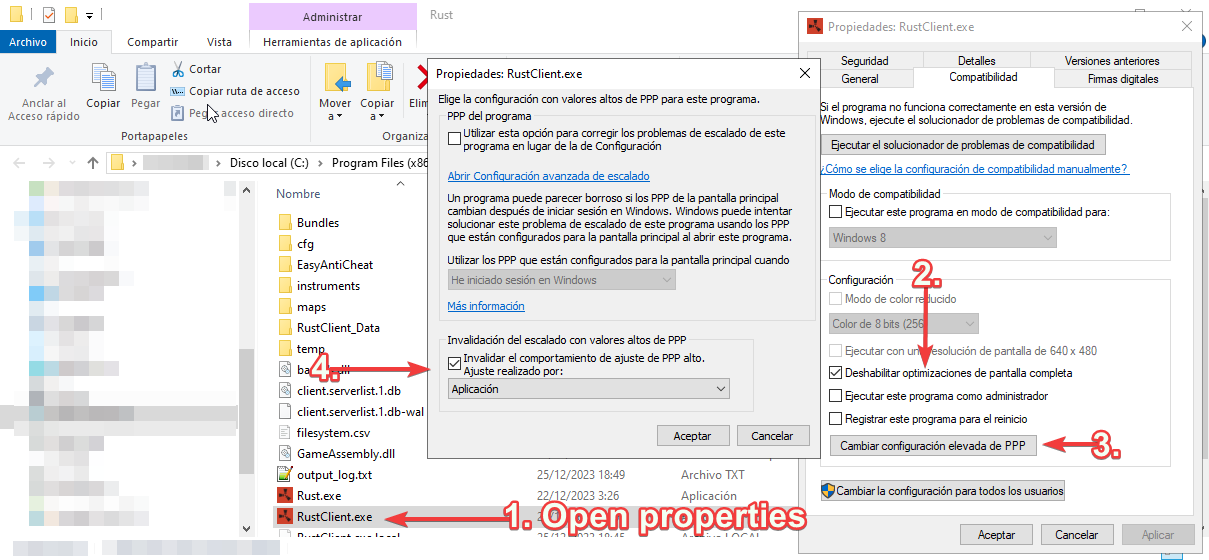
#### Disable Full-Screen optimizations
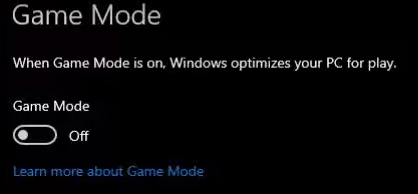
#### Disable GameMode on windows
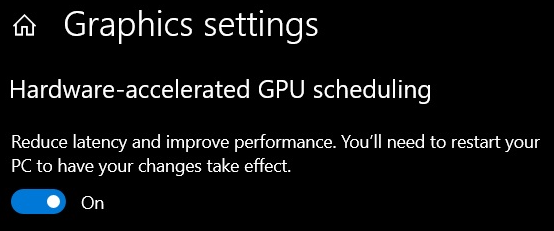
#### Enable Hardware-accelerated GPU scheduling
### Custom User CFG
#### Steam Launch Options
```-gc.buffer 1024 -cpu_priority high -client.headlerp_inertia false -headlerp 100 ```
#### Binds
``` input.autocrouch true ```
``` bind y forward;sprint ```
``` bind c +graphics.fov 90;graphics.fov 70 ```
``` bind f1 consoletoggle;combatlog ```
``` bind h "craft.add -2072273936 1" ``` - Autocraft x1 bandage
``` bind [leftshift+k] kill ``` - Autokill with ```LEFT SHIFT``` + ```K```
``` bind [leftshift+h] pool.clear_assets;pool.clear_memory;pool.clear_prefabs ``` - Improve FPS one time per server join using ```H```
### Sources of knowledge
https://www.youtube.com/watch?v=zkEec-xlEck
https://www.youtube.com/watch?v=z-ceehhsMQE
https://discord.gg/tacularr
https://www.reddit.com/r/Amd/comments/u833gv/cppc_andor_cppc_preferred_cores_to_be_enabled_or/
https://www.quora.com/Does-Windows-10-take-advantage-of-hardware-acceleration
https://irendering.net/hardware-accelerated-gpu-scheduling-and-its-impact-on-rendering/
https://www.youtube.com/watch?v=MPS4wPFAteM